Chalkline
Write it once. Teach it everywhere. · 一次编写,处处可用
The usual way
- Slides in one app, worksheets in another
- Copy the same words into a handout, a website, a packet
- Fix a typo in one place… and miss the other three
- Make a separate version for families and an answer key for you
The result
Five copies of everything, slowly drifting apart. Hours every week spent formatting instead of teaching.
The Chalkline way: one file, many outputs
You write
One plain-text file per deck or worksheet: words, pictures, and a few labels at the top (title, type, who it’s for).
Chalkline makes
- Slides to present, and a slide PDF
- A web page and a printable PDF of each worksheet
- A unit packet: every printable in one PDF, with a cover and contents
- A year packet with every unit
- A student, a teacher and a family website
A slide is just text you can read
This is a whole slide. Open the file and you see:
## starts a new slide. - makes a bullet point. {{< vocab "vote" >}} adds a vocab pop-up, with 中文 and 🔊. That’s most of it.
- ✏️ Edit it like a document. Change a word, save, and the slide updates.
- 💬 Or ask an AI to edit it. “Add a bullet about the navy.” Plain text is easy for AI to change correctly.
- 🎨 It can’t look messy. Fonts, colors and layout come from the school style, on every slide.
- 🔁 Write once. The same words become the slides, the web page and the PDF.
Every unit gets a home page
- The unit’s objectives at the top
- Every slide deck and printable, with links to the PDFs
- A Unit packet (PDF) button: all the printables, ready to send to the copier
- Nothing to list by hand: add a file to the unit folder and it appears
Try it: open Unit 1: Ancient Greece in the sidebar.
Packets build themselves
- Every worksheet, handout and reference in a unit, in order
- A cover with the objectives and contents
- Page numbers running through the whole packet
- Slides, posters and tests stay out
- Add an outside PDF (a map, an official form) with one line
Teacher version
The teacher build makes teacher packets: the same pages plus answer keys, with an orange TEACHER EDITION tab.
Vocabulary support, built in
Tap or hover a word with a dotted line to see its card: picture, 中文 and a simple definition.
- Ancient Athens was a democracy
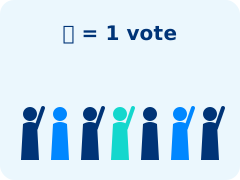 democracy 民主Government where citizens make decisions by voting.History Vocab ↗.
 - Rome built a huge empire
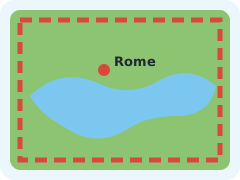 empire 帝国Many lands and peoples ruled by one government.History Vocab ↗.
 - An aqueduct
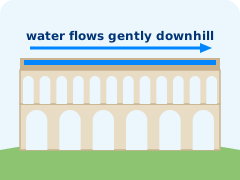 aqueduct 引水渠A channel or bridge that carries water to a city.History Vocab ↗ carried water to the city.
One list, used everywhere
The words live in one spreadsheet. Slides, worksheets, the vocab app and Quizlet/Kahoot exports all read it. English is the goal; 中文 is support, and never appears in quizzes.
Three websites from the same files
Students
Slides, worksheets, vocab. No answer keys.
Teachers
Everything, plus answer keys, speaker notes and teacher packets.
Families
The objectives, the vocab app and only the slides you choose to share.
One label decides who sees a file: audience: [teacher, student, parent]
Classroom tools in every deck
- A timer on any slide (press T)
- A clock in the corner (press K)
- Speaker notes in a second window (press S)
- Tap-to-vote polls: no devices, no accounts
Try a poll
Which feature will you try first?
Slides can do anything a web page can
The Odyssey 奥德赛: ten years, ten stops, one hero trying to get home.
Press Play, or hover a stop for its story.
Made with AI
This map is about 150 lines of code. An AI assistant wrote it from one paragraph: “Make an interactive map of Odysseus’s journey home: numbered stops, a ship that sails the route, and the story of each stop on hover.”
Maps, timelines, games, simulations: if a web page can do it, a slide can too.
So what else can you do?
Each one is a working example in this course. Click to jump there.
- 👆 Fragments: reveal answers one click at a time
- ✨ Transitions: zoom into a slide, or glide a picture into place (auto-animate)
- 🎬 Embedded videos: a TED-Ed video inside a slide
- 🧩 Interactive activities: tap-to-match, a story map
- 📐 Infographics: a draw.io diagram you can hover
- 🗳️ Polls: tap-to-vote on the board
- ⏱️ Timers: think, pair, share
- 🔊 Vocab pop-ups: with 中文 and read-aloud
- 🏛️ Pictures and backdrops: a full-screen title, photos with captions
- 🗒️ Speaker notes: press S on any slide
These links jump between slide decks, too: any slide can link to any other slide.
It always looks like your school
- Colors, fonts and logos are set once, in
brand/ - Slides, web pages, PDFs and the vocab app all follow
- Change the brand file and everything updates
No more fixing fonts slide by slide.
Editing with an AI assistant
- The files are plain text, so tools like Claude can read and edit them
CLAUDE.mdtells the assistant the rules for this course- While you work on one worksheet, only that file is rebuilt: quick to check
- When it’s done: save, and rebuild that unit’s packet
Get your own copy
- Install (once): VS Code, Quarto, Python 3, Git, and Chrome or Edge. The README has the links.
- Clone: in VS Code, press Ctrl+Shift+P (Mac: Cmd+Shift+P), choose Git: Clone, paste the address, pick a folder, then Open.
- Start: double-click Start Chalkline in the folder. The first time takes a few minutes.
The address
https://github.com/insufficientdoubt/chalkline-sample
Then
Your site opens at localhost:4100, in the teacher version. Your copy is yours: change anything.
Just want to look first? The online version: insufficientdoubt.github.io/chalkline-sample
How this sample is organized
course/units/01-ancient-greece/
  index.qmd               the unit page: title, objectives
  city-states-slides.qmd  a slide deck
  athens-vs-sparta.qmd    a worksheet (web + PDF)
  images/                 photos for this unit's slides
vocab/data/vocab.csv      the 37 vocab words
vocab/images/             vocab pictures (GRC-003.svg = democracy)
brand/                    colors, fonts, logos
Make your own unit
- Copy a unit folder, for example
01-ancient-greece, and rename it - In its
index.qmd, change the title and objectives - Edit or replace the slides and worksheets, keeping a
type:label on each - Add your words to
vocab/data/vocab.csv - Double-click Start Chalkline: your unit is on the site
Exit ticket
How ready do you feel to make your first unit?
Picture credits
- Title: The School of Athens, Raphael (about 1510), public domain, via Wikimedia Commons.
- Everything else: original, made for this course. Unit picture credits: each unit’s
images/CREDITS.md.